Open Markdown visually
Install the extension, then open a .md file. If it opens as text,
right-click the file and choose Open in DocBlocks, or run
DocBlocks: Open Editor from the Command Palette.
 Open the web editor
DocBlocks for VS Code
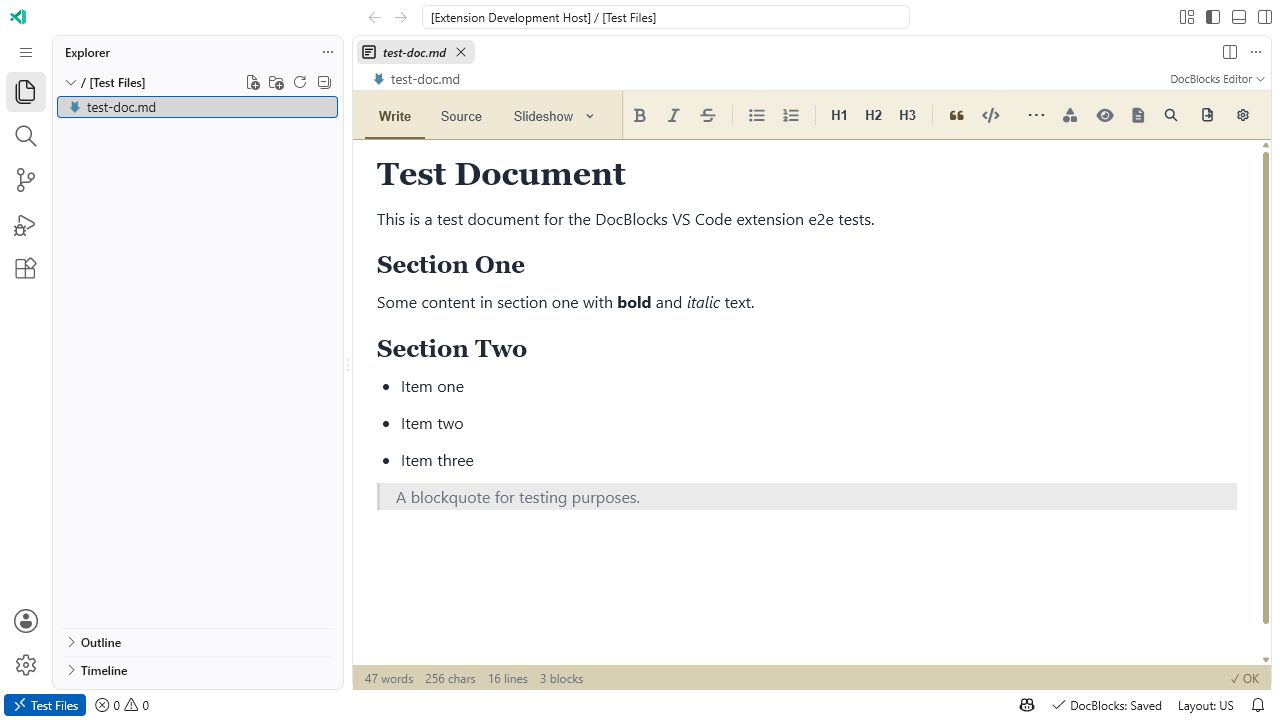
Open .md files as visual documents without leaving your workspace. VS Code
keeps its file explorer, tabs, source control, and theme; DocBlocks supplies visual
writing, raw source, Play views, media, and export controls.
Plain Markdown underneath
Keep your project tree, editor tabs, keyboard shortcuts, and source control. Open Markdown visually when you want a document view, and save with VS Code’s usual File → Save or Ctrl+S / Cmd+S.
Install the extension, then open a .md file. If it opens as text,
right-click the file and choose Open in DocBlocks, or run
DocBlocks: Open Editor from the Command Palette.
Switch to raw Markdown whenever precision matters. The same source remains usable by GitHub, static-site tools, other editors, and AI coding agents.
Run DocBlocks: Open DocBlocks Tools (CLI+MCP) Setup to install the
CLI in your workspace and configure its MCP server. The setup grants access to the
current workspace; edit .vscode/mcp.json for narrower roots.
DocBlocks.com opens directly into the full application and keeps browser documents local.